
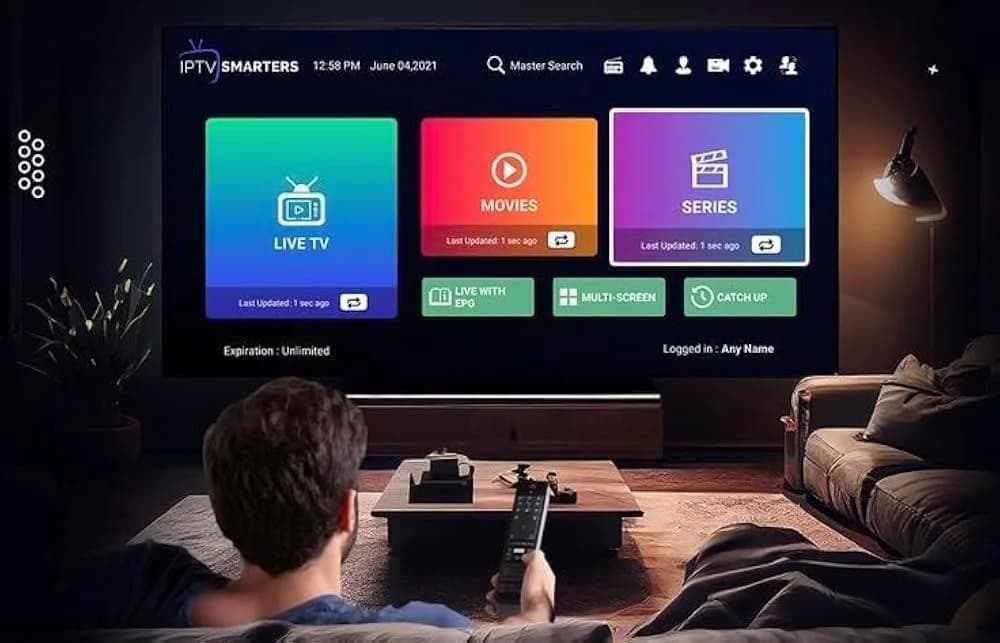
If you have searched for an IPTV player at any point in the last few years, you have run into IPTV Smarters Pro. It shows up in every top-ten list, gets recommended in every forum thread, and is one of the first apps people install on a new Firestick or Android TV box. But most guides about it skip the most important part, which is that the app is not a service.
This article explains what IPTV Smarters Pro actually is, how it differs from a subscription, how to set it up on every major device, and how to get the smoothest possible experience out of it. By the end, you will know exactly what IPTV Smarters Pro can do, what it cannot do, and whether it is the right player for your household.
We will also compare it against the other two major IPTV players, IBO Player Pro and TiviMate, since that comparison is the single most common question we field from new subscribers. If you want to see the wider context on IPTV services before you decide on a player, our guide on the best live TV streaming service in the USA is a good place to start.
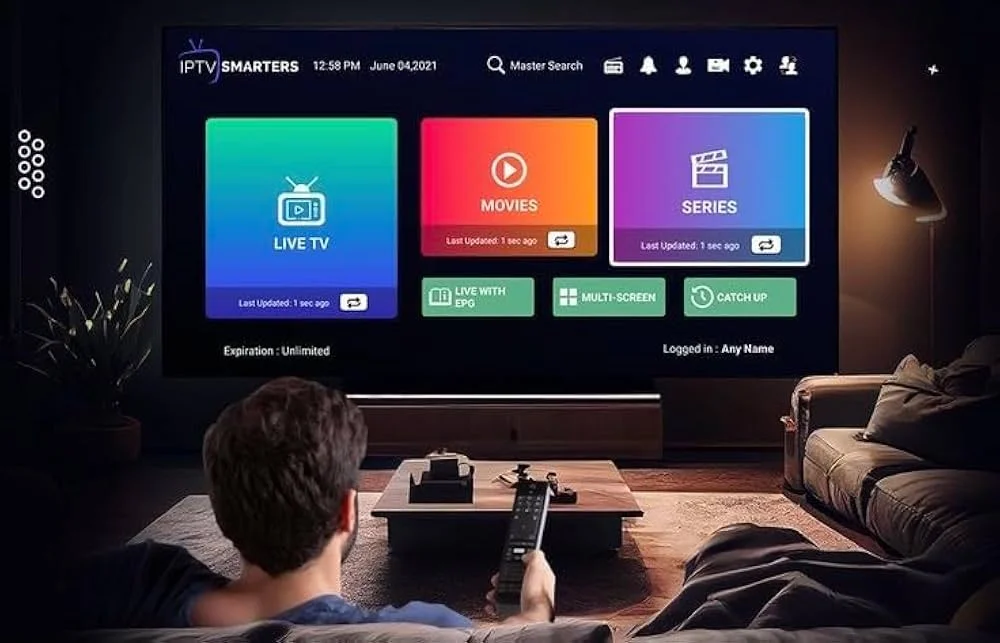
What Is IPTV Smarters Pro
IPTV Smarters Pro is an IPTV player. It is not a service, and it does not provide any channels by itself. What it does is connect to a subscription you already have, whether that subscription is from us or anyone else, and turn the raw stream data into a proper television experience.
The app takes your login credentials, connects to the provider's server, and builds the interface you actually interact with. Channel list, EPG guide, favourites, catch up, on demand library, search, parental controls, everything you expect from a modern streaming app. IPTV Smarters Pro just handles the display and delivery side.
The app is developed by a third-party team, not by any IPTV provider. It is available on almost every platform, including Android, iOS, Fire TV, Apple TV, Samsung Tizen, LG webOS, Windows, and Mac. The core version is free, and there is a paid Pro tier with a few extra features.
That is the short version. IPTV Smarters Pro is the app. You still need an IPTV Smarters Pro subscription behind it, which is what actually delivers the channels. Without a subscription, the app has nothing to display.
The App vs the Subscription
This is the single most confusing point for new users, and it causes more support tickets than any other issue. IPTV Smarters Pro is free to download and install on every device. It is not tied to any specific provider. But the app itself only shows whatever your subscription sends it.
So when people search for an IPTV Smarters Pro subscription, they are usually looking for two separate things. The first is the app itself, which is free and takes two minutes to install. The second is the provider behind it, which is what actually costs money and delivers the channels, the sports, the movies, and the EPG.
We include free activation of IPTV Smarters Pro with every subscription. That means when you sign up, our team on WhatsApp walks you through the install, logs you into the app with your Xtream Codes credentials, and confirms the EPG guide is pulling correctly. You do not have to figure out the app on your own.

How to Set Up IPTV Smarters Pro on Any Device
The setup process is almost identical across every platform. What changes are the names of the buttons in the app store. Here is the exact flow you will see on Firestick, Android TV, Samsung, LG, Apple TV, iOS, Windows, and Mac.
First, install the app. On Fire TV, search for IPTV Smarters Pro in the Amazon App Store or use Downloader if it is not listed in your region. On Android TV and Google TV, use the Google Play Store. On Samsung and LG, use the TV app store. On iOS and Apple TV, use the App Store. On Windows and Mac, download the installer from the official IPTV Smarters website.
Once installed, open the app. You will see three login options. Xtream Codes API, M3U URL, and Local Playlist. Choose Xtream Codes API. This is the fastest method and it pulls the EPG guide automatically in a single pass.
Enter the three credentials we send you: server URL, username, and password. Be careful with the typing, since credentials are case sensitive and even one extra space will cause a login failure. Once everything is entered correctly, tap Add User and give it thirty to sixty seconds. IPTV Smarters Pro will download your channel list, the seven day EPG, and the on demand library.
Three Fast Setup Tips
- Use Xtream Codes API, not M3U URL. It is faster, uses less memory, and pulls the EPG in one pass.
- Retype credentials slowly. Case sensitive and trailing spaces are the single most common cause of login failures.
- Test the EPG before adding favourites. If the guide is wrong, the guide needs a refresh before you customize your list.
IPTV Smarters Pro vs IBO Player Pro
These two are the most common IPTV players people compare, and for good reason. Both are fast, both support Xtream Codes, and both handle 4K streams well. The differences show up in the details, and the right choice depends on your device and how much control you want over the interface.
IPTV Smarters Pro has the wider device coverage of the two. It runs on Samsung Tizen and LG webOS natively, which IBO Player Pro also supports, but Smarters has been on those platforms longer and is more established. It also has a slightly broader set of features for those who like to customize their player.
IBO Player Pro is lighter on memory and marginally faster at channel zapping, especially on lower-end Firesticks and budget Android boxes. It also loads faster on cold start, which matters if you open and close your IPTV app multiple times a day.
In practice, both apps work well on any modern device. We activate whichever one you prefer, and we can also install both side by side if you want to compare them yourself. If you want a deeper comparison of the two players and how they stack up against TiviMate, our guide on installing TiviMate on Firestick breaks down the tradeoffs.
| Feature | IPTV Smarters Pro | IBO Player Pro |
|---|---|---|
| Device Coverage | All platforms | All platforms |
| Memory Use | Medium | Low |
| Channel Zapping | Fast | Very fast |
| EPG Setup | Automatic | Automatic |
| Xtream Codes Support | Yes | Yes |
| M3U URL Support | Yes | Yes |
Why the Subscription Behind the App Matters
This is the part most reviews skip. IPTV Smarters Pro is only as good as the subscription behind it. A great player with a weak subscription still delivers a weak experience. Freezing during live sports, broken channels, and an EPG that never syncs are all subscription-side problems, not player-side problems.
The bits that matter are things you never see in the app. Whether the provider runs on dedicated hardware or shared boxes. Whether they have anti freeze load balancing. Whether they maintain 25 to 30 Mbps bitrates on their 4K channels during peak hours. Whether their EPG actually syncs to your local time zone.
That is where our infrastructure shows up. Our servers run on dedicated US edge nodes in New York and Los Angeles, with anti freeze load balancing that reroutes traffic the moment a node starts to struggle. Every channel with a 4K variant is delivered at real bitrate, not compressed down to save bandwidth. This is why our live sports streams stay at 60FPS during the Super Bowl and the NBA Finals.
We also cover the full American sports lineup including NFL Sunday, NBA, MLB, NHL, college football, ESPN, HBO, Showtime, and every major pay per view event. Our on demand library carries 120,000 titles, and our live channel count sits at 36,000. All of it works in IPTV Smarters Pro without any special configuration.

Fixing the Most Common IPTV Smarters Pro Problems
Even with a solid subscription, you will occasionally hit small problems in the app. Most of them are fixable in a minute, and almost none of them mean the app itself is broken. Here are the ones we see most often on our WhatsApp support line.
The first is the login error. IPTV Smarters Pro does not always tell you which of the three credentials is wrong, so a failed login can be frustrating. Retype all three fields slowly, checking for hidden spaces or incorrect characters. If it still fails, message us and we can confirm the credentials are valid on our side.
The second is buffering. If buffering happens on every channel, the issue is usually your Wi Fi or your internet speed. If it only happens on specific channels, that is the provider side. If it only happens during peak evening hours, that is usually ISP throttling, which a VPN can solve.
The third is EPG not loading or showing the wrong time zone. This is almost always a playlist refresh issue. Go into IPTV Smarters Pro settings and reload the EPG. If the time zone is off, check that your device's system time zone is correct, since the app reads that setting.
What Our Subscribers Actually Get
- Free activation of IPTV Smarters Pro and IBO Player Pro, done by our team on WhatsApp.
- Dedicated US edge servers in New York and Los Angeles.
- Anti freeze load balancing that reroutes traffic before you notice a hiccup.
- Real 4K bitrate on every channel with a 4K variant.
- 60FPS stability on live sports, including NFL Sunday, NBA, MLB, NHL, college football, ESPN, HBO, Showtime, and PPV events.
Real 4K
25 to 30 Mbps bitrate on every 4K channel, verified during peak hours.
Free Activation
IPTV Smarters Pro and IBO Player Pro set up for you on WhatsApp.
Full Sports
NFL Sunday, NBA, MLB, NHL, college football, ESPN, HBO, Showtime, and PPV.
Is IPTV Smarters Pro Right for You
IPTV Smarters Pro is a good choice for almost anyone. It is the most widely supported player on the market, the interface is clean and easy to learn, and the setup on every major device follows the same three-step pattern. If you have never used an IPTV player before, this is one of the friendliest options to start with.
If you are running a very low-end device like an old Firestick Lite, you might get slightly smoother performance from IBO Player Pro because it uses less memory. But that difference is small on anything from the last two generations. Most people will not notice it.
If you want the widest device support and the most standard, well-known IPTV player on the market, IPTV Smarters Pro is the safe answer. If you want slightly faster zapping and lower memory use, IBO Player Pro is a good alternative. Either one works with our subscription, and either one is free to activate.
Getting Started With IPTV Smarters Pro Subscription
The fastest way to get running is to choose a plan and let our team handle the setup. Every plan we offer includes free activation of IPTV Smarters Pro, so you do not have to figure out the app on your own. We send you the app details, walk you through the install on WhatsApp, and confirm the EPG is pulling correctly before we let you go.
Our service runs on dedicated US servers with anti freeze load balancing, includes 36,000 live channels and 120,000 on demand titles, and covers the full American sports lineup including NFL Sunday, NBA, MLB, NHL, college football, ESPN, HBO, Showtime, and every major pay per view event.
The monthly cost starts at $39 for a 3 month plan on a single screen, and drops to under $6 per month on our annual tier. Every plan includes free activation of IPTV Smarters Pro and IBO Player Pro, plus WhatsApp support for the entire length of your subscription.
If you want to see how the full setup process works before you commit, our IPTV setup guide walks through every step on Firestick, Smart TV, Apple TV, and mobile. And if you want to know what real American viewers say after they have been subscribed for a while, our verified US customer reviews page has honest feedback, including some critical comments worth reading before you decide.

Frequently Asked Questions
06 QuestionsWhat is IPTV Smarters Pro in simple terms?
IPTV Smarters Pro is an IPTV player app. It connects to a subscription you already have and turns the raw stream data into a proper television interface with a channel list, EPG guide, favourites, and on demand library. It does not provide any channels on its own. You need a subscription from a provider for that.
Do I need a separate IPTV Smarters Pro subscription?
Yes and no. The app itself is free to download on every device. But you need a subscription from a provider to actually watch anything through it. That is the subscription you pay for, and it is what delivers the channels, sports, movies, and EPG. The app is just the interface.
Is IPTV Smarters Pro free or paid?
There is a free version and a paid Pro version. The free version covers the basics. The paid Pro version unlocks additional features like advanced EPG management and multi screen support. For most households, either version works fine with our subscription, and we help you install whichever you prefer.
Does IPTV Smarters Pro work on Firestick?
Yes. IPTV Smarters Pro is available on Amazon Fire TV and Fire TV Stick through the Amazon App Store in most regions. If it is not listed in your regional store, you can install it with the Downloader app. Our team walks through this on WhatsApp during activation.
Should I use Xtream Codes or M3U URL in IPTV Smarters Pro?
Always use Xtream Codes. It is faster, uses less memory, and pulls the EPG in a single pass instead of requiring a separate download. M3U URL works as a fallback, but it is slower on device and can cause freezes on lower-end hardware.
Can I use IPTV Smarters Pro on multiple devices?
Yes. You can install IPTV Smarters Pro on unlimited devices using the same Xtream Codes credentials. What matters is how many simultaneous streams your plan supports. Our 1 screen plan is fine for a single viewer, and we offer 2 screen and 3 screen plans for households that want to watch different things at once.
One Last Thing
IPTV Smarters Pro is one of the best IPTV players you can install, and it works with almost any device on the market. But it is only as good as the subscription behind it. A great player with a weak provider still delivers a weak experience. A great player with a properly engineered provider delivers something that feels like a premium cable system, at a fraction of the price.
If you want a subscription that pairs well with IPTV Smarters Pro, our plans start at $39 and every tier includes real 4K bitrates, the full US sports lineup, free activation of IPTV Smarters Pro and IBO Player Pro, and WhatsApp support for the entire length of your subscription. Message us on WhatsApp whenever you are ready and we will get you streaming in under ten minutes. You can also browse our IPTV Subscription pricing to see every tier side by side.